
Facebook API Configuration
To use Facebook login feature, you need to create Facebook application and link it to your site. Facebook will generate application id and secret, which you need to copy and set in Social Suite extension configuration.
1. To create Facebook application, please follow the next steps:
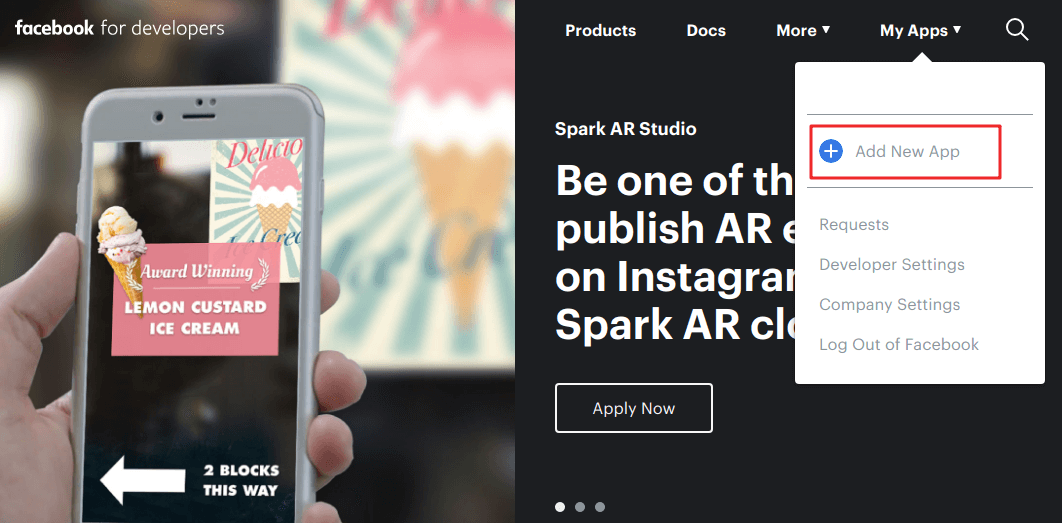
- Go to developers.facebook.com
and select
My Apps > Add New App.
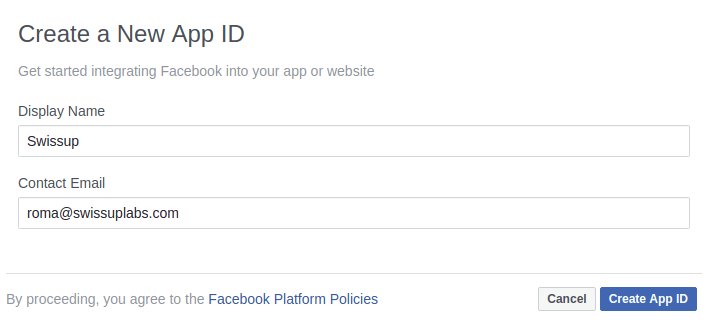
- In popup enter application name and contact email, press
Create App IDand complete security check (captcha).
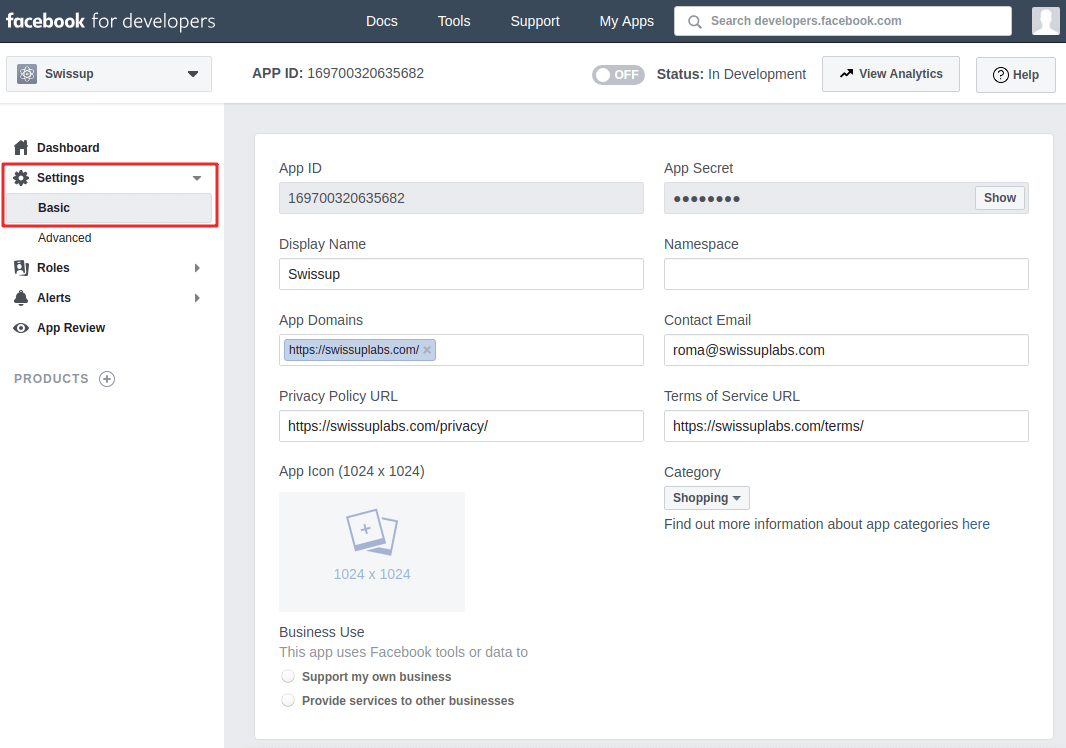
- Select
Settings > Basicin left menu and fillApp Domains,Privacy Policy URLandTerms of Service URLfields. Also you can selectCategoryfor your app here.
-
Press
Add Platformbutton at page bottom,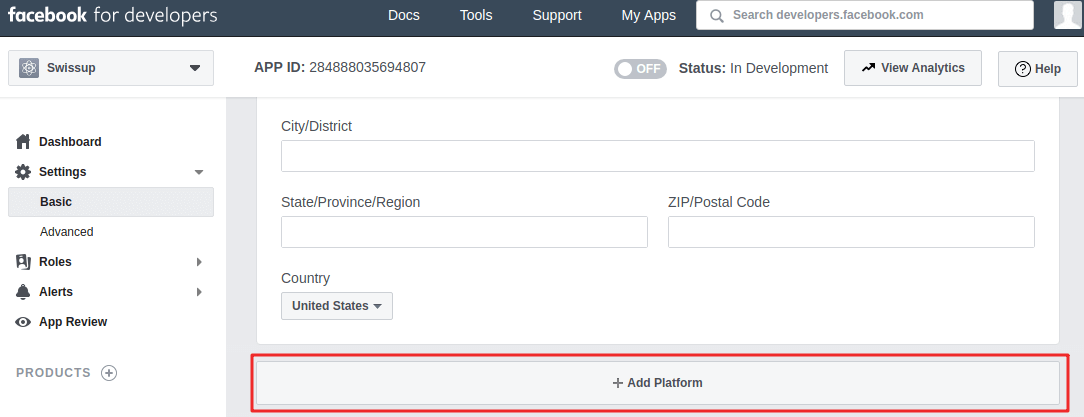
select
Website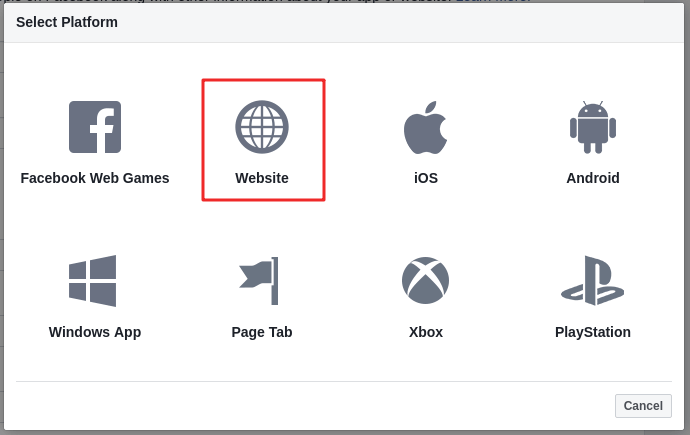
and fill your site url in
Site URLfield. PressSave changes.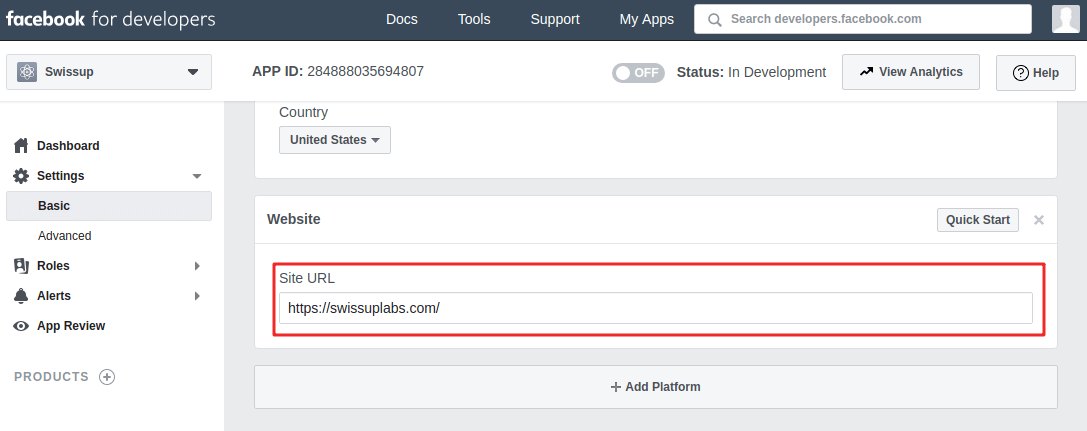
-
To make application public, go to
App Reviewand enable it. Select app category if prompted.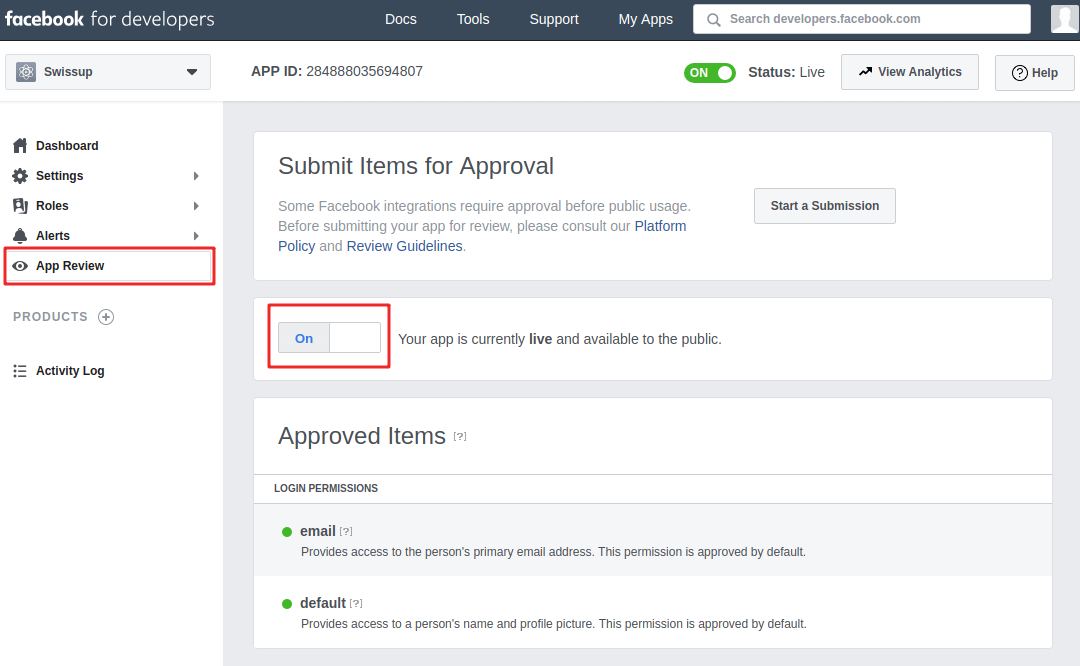
2. To enable login feature in your application, follow the next steps:
-
Click plus near
PRODUCTSat left menu and thenSet Upbutton inFacebook Logincard.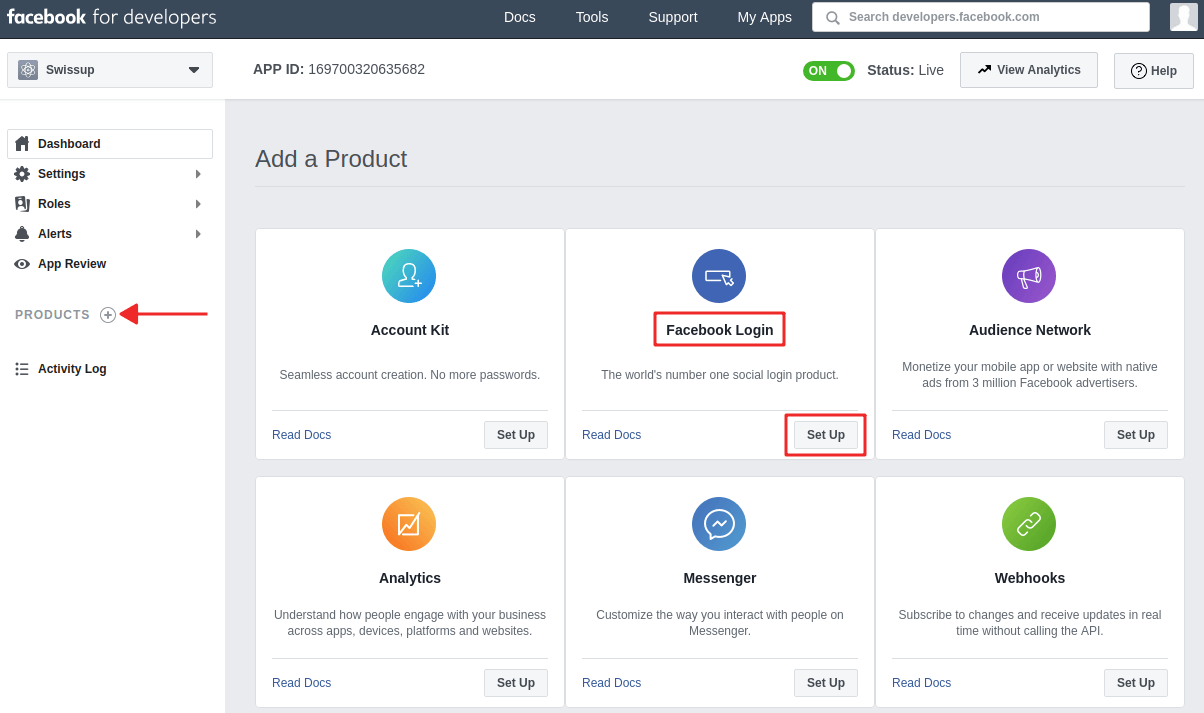
-
Go to the
Facebook Login > Settings, fillValid OAuth Redirect URIsfield with valuehttps://[your.domain]/sociallogin/social/login/id/facebookand pressSave Changesbutton.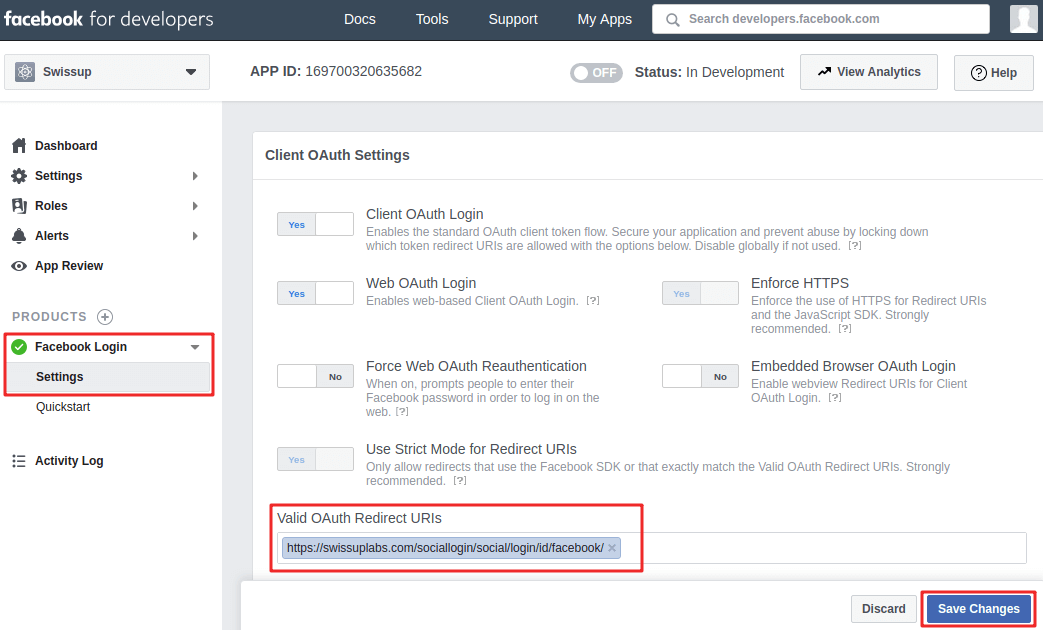
If you are not sure what redirect URI to use, go to Magento admin
Stores > Configuration > Swissup Social Suite > Social login > Social Networks > Facebook
and copy generated value from
Redirect URIfield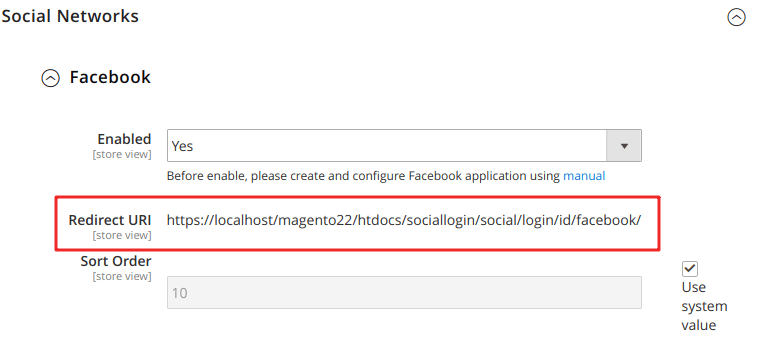
3. Finally, you need to set app id and secret in Social Login configuration:
-
In your application, go to
Settings > Basicand copyApp IDandApp Secret.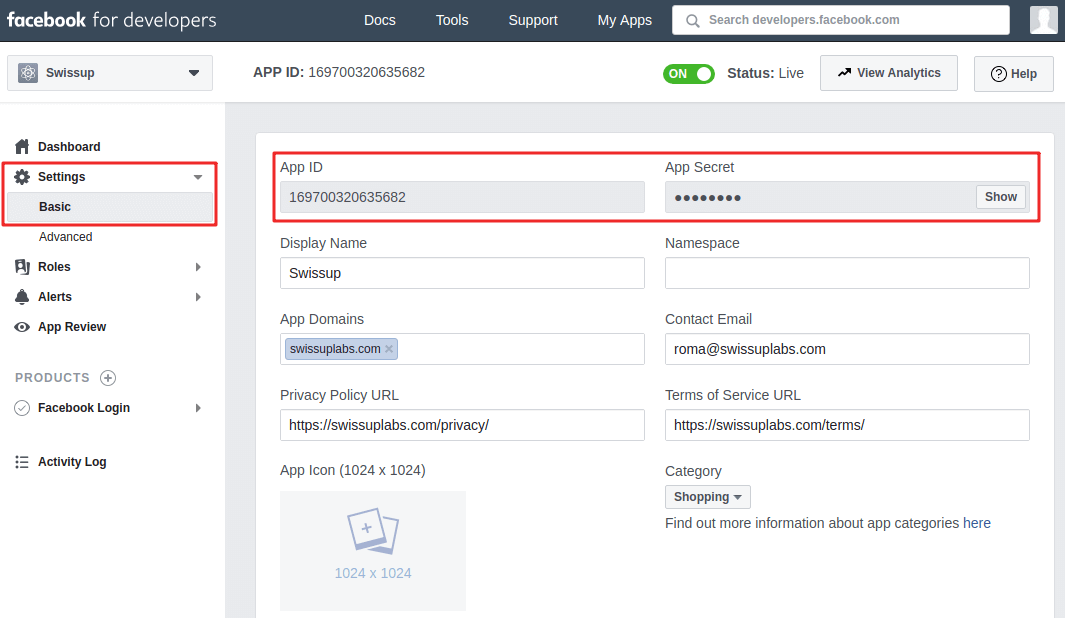
-
In Magento admin, go to
Stores > Configuration > Swissup Social Suite > API Credentials > Facebookand insertApplication IDandApplication Secretfrom your app.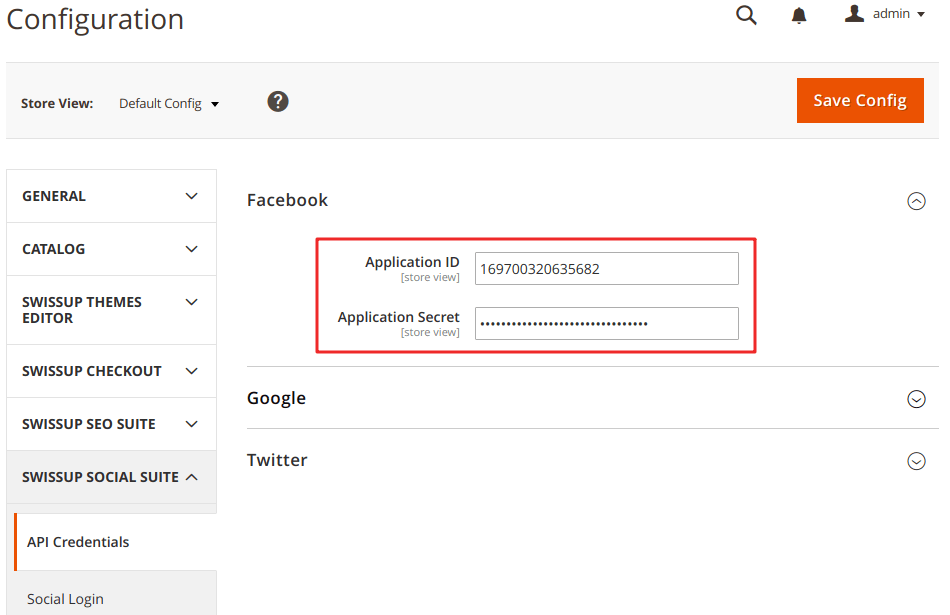
4. Now you can enable Facebook login feature in
Stores > Configuration > Swissup Social Suite > Social login > Social Networks > Facebook