
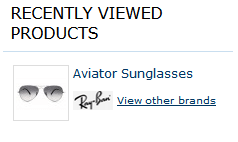
Display brand block in recently viewed products block
You have to add the code mentioned below to the recently viewed list template.
Usually you can find it at
app/design/frontend/YOUR_PACKAGE/YOUR_THEME/template/reports/product_viewed.phtml
If you can’t find the template to edit, you can always find it with
System > Configuration > Developer > Debug > Template Path Hints option.
Screenshot
Code
<?php
    echo Mage::helper('attributepages/product')
        ->setCollection($_products)
        ->setProduct($_item)
        ->setAttributeCode('brand')
        ->setImageType('thumbnail')
        ->setCssClass('hidden-label list-block')
        ->setSize(40, 20)
        ->setShowParentPage(true)
        ->setParentPageLinkTitle('View other brands')
        ->toHtml();
?>
Look at list of available attributepages/product helper methods