
Configuration
The Helpdesk module allows you to use easy to support interfaces, email gateways, department and tickets in your Magento store.
Helpdesk configuration
Go Stores > Configuration > Swissup > Helpdesk. You can see the following settings.
General tab
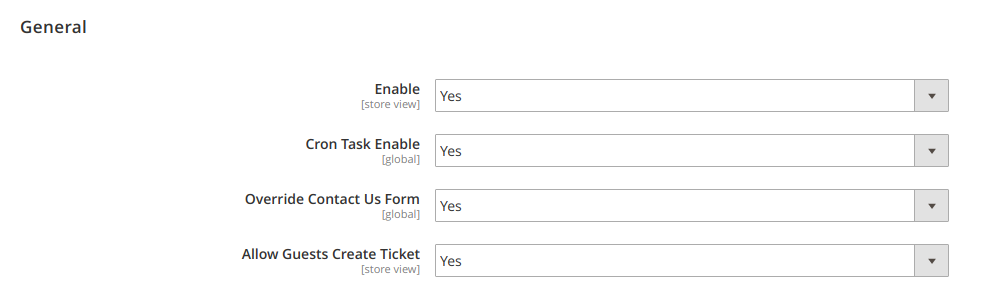
- In the
Enablefield please select Yes. - In the
Cron Task Enablefield please select Yes if you have configured email storage. - In the
Override Contact Us Formfield please select Yes if you want to replace standart contact us form. - Select Yes in the
Allow Guests Create Ticketfield in order to allow guest to create support ticket.
Form tab
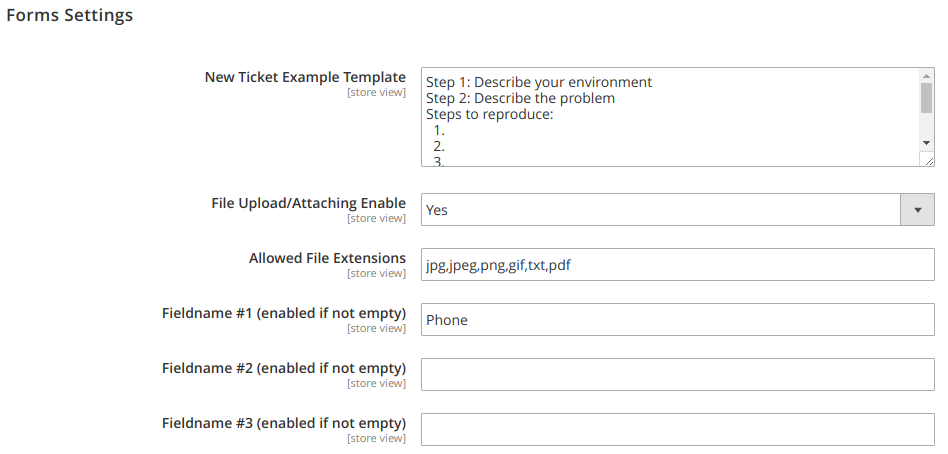
New Ticket Example Template- here you can change ticket message placeholder- Select Yes in the
File Upload/Attaching Enablefield in order to allow customers to attach files to their support request. Then you can choose the available extensions of the attached file inAllowed File Extensions. - In the
Fieldname #1, #2 and # 3 fields(enabled if not empty) you can specify additional information for your issue.
Mail tab
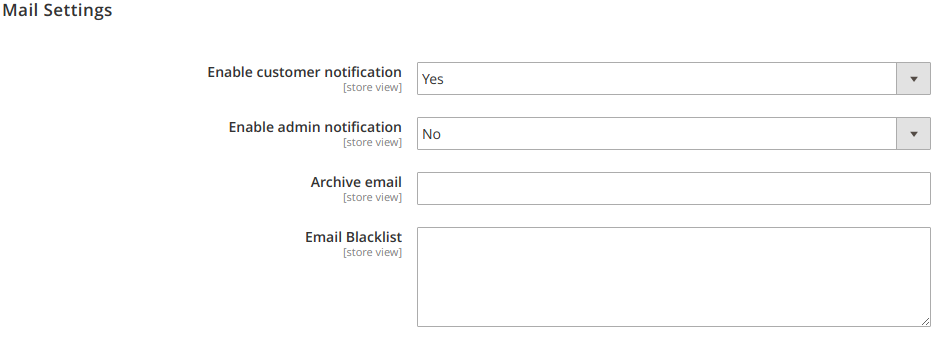
- Select Yes in the
Enable customer notificationfield to allow the customer get notification about update ticket. - Select Yes in the
Enable admin notificationfield to allow the admin get notification about update ticket. - In the
Archive emailyou can set backup email box for all your email notification. - In the
Blacklistyou can add email spammers or/and annoying clients. - After all settings click on Save Config.
Submit form captcha
To enable captcha on ticket submit form go to Admin > Stores > Configuration > Customers > Customer Configuration > CAPTCHA, select Helpdesk New Ticket Form and/or Helpdesk New Comment Form in Forms field and press Save config button.